0 气泡bubbles
文档流 Markdown · 工具调用摘要行 · 思考折叠 · 问题导航 Document-flow Markdown · tool rows · collapsed thinking · rail
WINDOWS 10+ · ELECTRON · REACT 19 · TYPESCRIPT · MIT
PiDesk 是开源 coding agent
pi
的 Windows 桌面客户端。它不重新实现 agent:pi 以 --mode rpc 子进程运行,PiDesk
通过 JSONL over stdio 驱动它。会话历史始终是 pi 原生的 JSONL 文件——终端里的 pi
和界面里的 pi,读的是同一份数据。
PiDesk is a Windows desktop client for
pi, the open-source coding agent. It does not reimplement the agent: pi runs as a
--mode rpc child process that PiDesk drives over JSONL stdio. Session history
stays in pi's native JSONL files — the pi in your terminal and the pi in this UI read the
same data.
$ npm install -g @earendil-works/pi-coding-agent  # ① 装 pi CLI① install the pi CLI
$ # ② 从 Releases 下载 PiDesk 安装包(附 SHA-256)② grab the PiDesk installer from Releases (SHA-256 included)
$ # ③ 设置里指向 pi 可执行文件,新建任务③ point Settings at the pi executable, start a task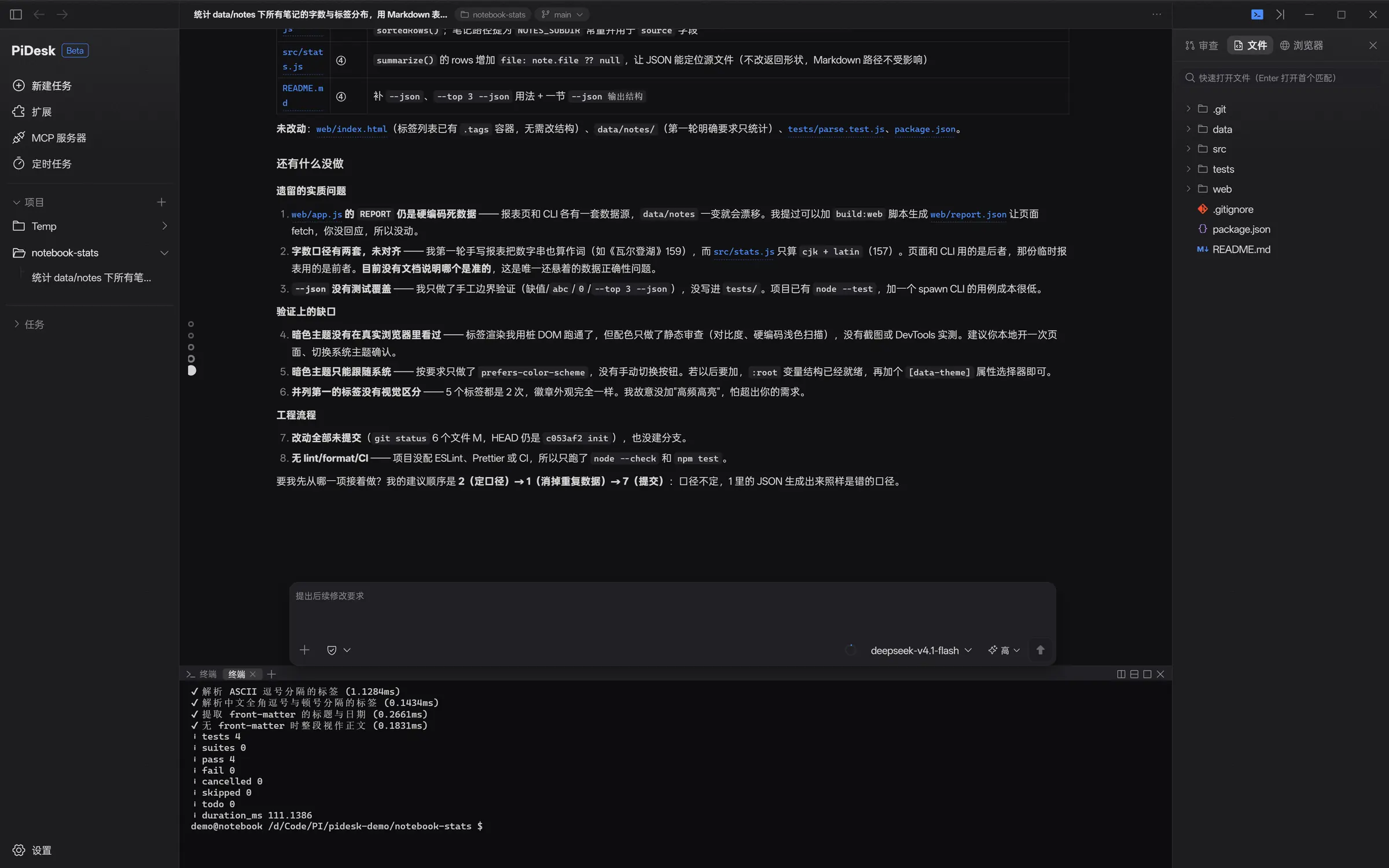
滚动继续scroll to continue
§ 01
agent 循环、模型鉴权、上下文压缩、工具执行,全部发生在 pi 进程里。PiDesk 提供的是桌面工作台:把事件流渲染成可读的文档,把项目、终端、浏览器和 git 变更摆在旁边,把 pi 的扩展生态装进面板。 The agent loop, model auth, compaction and tool execution all happen inside the pi process. PiDesk provides the desktop workbench: rendering the event stream as a readable document, keeping the project, terminal, browser and git changes alongside it, and hosting pi's extension ecosystem in panels.
--mode rpc
子进程child process
RPC 驱动 · pty · 内嵌浏览器 · 窗口 RPC driver · pty · browser · windows
会话区 · 面板 · 设置 · View 宿主 Session · panels · settings · view host
PiDesk 不复制会话正文,也不做二次同步;只另存标题、归档、置顶这类标记。MCP 配置同样写在 pi 的用户级
mcp.json,与 CLI 共享一份。
PiDesk copies no transcript and does no second sync; it only keeps markers such as
titles, archive flags and pins. MCP config lives in pi's user-level
mcp.json, shared with the CLI.
§ 02
文档流 Markdown · 工具调用摘要行 · 思考折叠 · 问题导航 Document-flow Markdown · tool rows · collapsed thinking · rail
默认 8 个进程同时存活,1–32 可调;切换不杀进程,超限时新会话启动失败而不是挤掉旧的 8 live processes by default, tunable from 1 to 32; switching never kills one, and hitting the ceiling refuses the new session instead of evicting an old one
文件 · 终端 · 浏览器 · 审查 Files · terminal · browser · review
扩展注册界面,pi 本体零改动 Extensions ship UI, pi itself untouched
§ 03
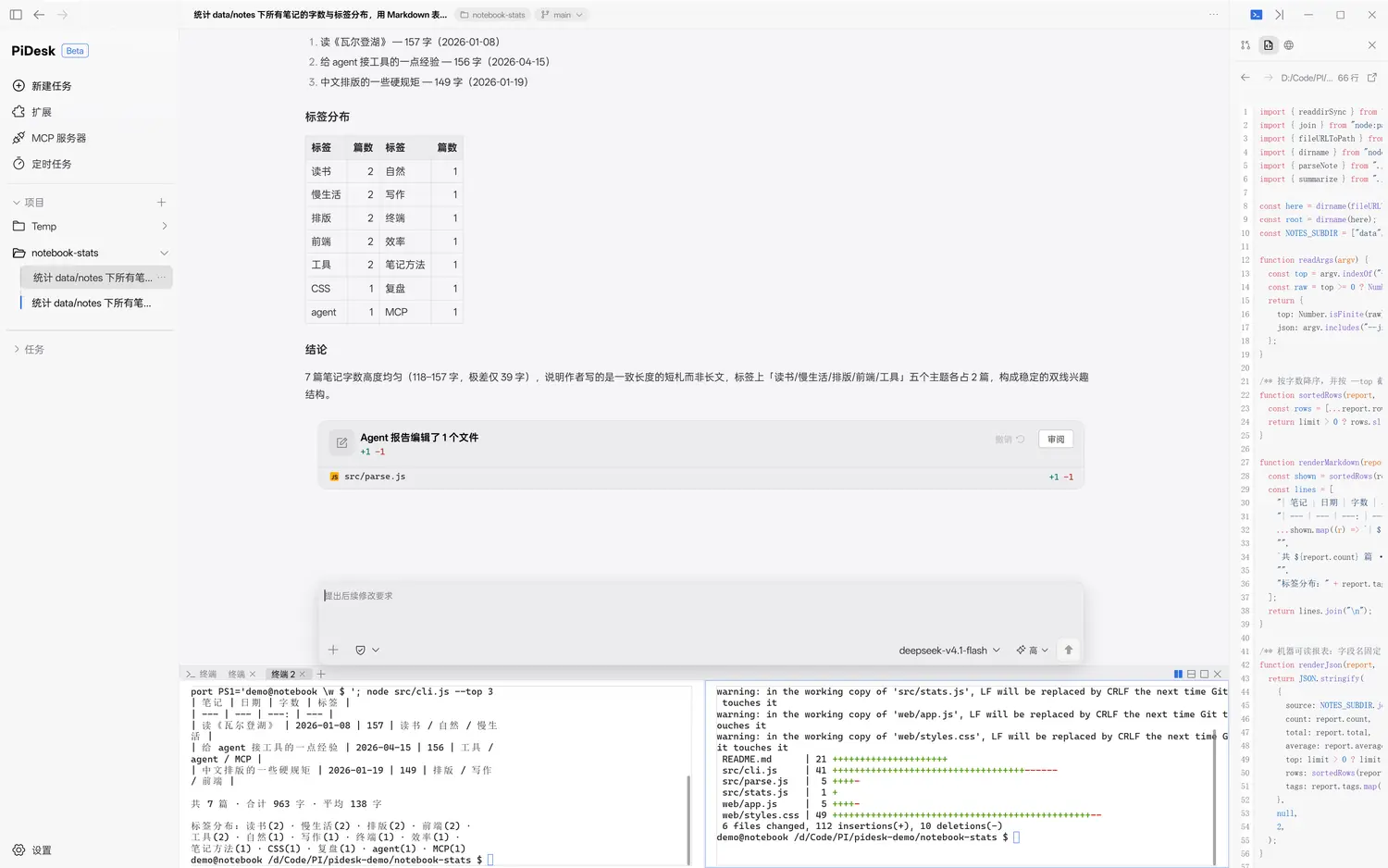
AI 回复按 Markdown 文档流渲染:GFM 表格、编号列表、行内 code 芯片、代码块一键复制。工具调用压成一行紧凑状态行,连续调用自动折叠成「已运行 2 条命令」这样的摘要头;思考过程默认收成一行,展开是弱化排版的 Markdown。长回复要能读、能扫、能引用。 Replies render as a Markdown document: GFM tables, numbered lists, inline code chips, one-click code blocks. Tool calls collapse into compact status rows — consecutive ones group into a "Ran 2 commands" summary header. Thinking defaults to a single line and expands into muted Markdown. A long answer should be readable, scannable and quotable.
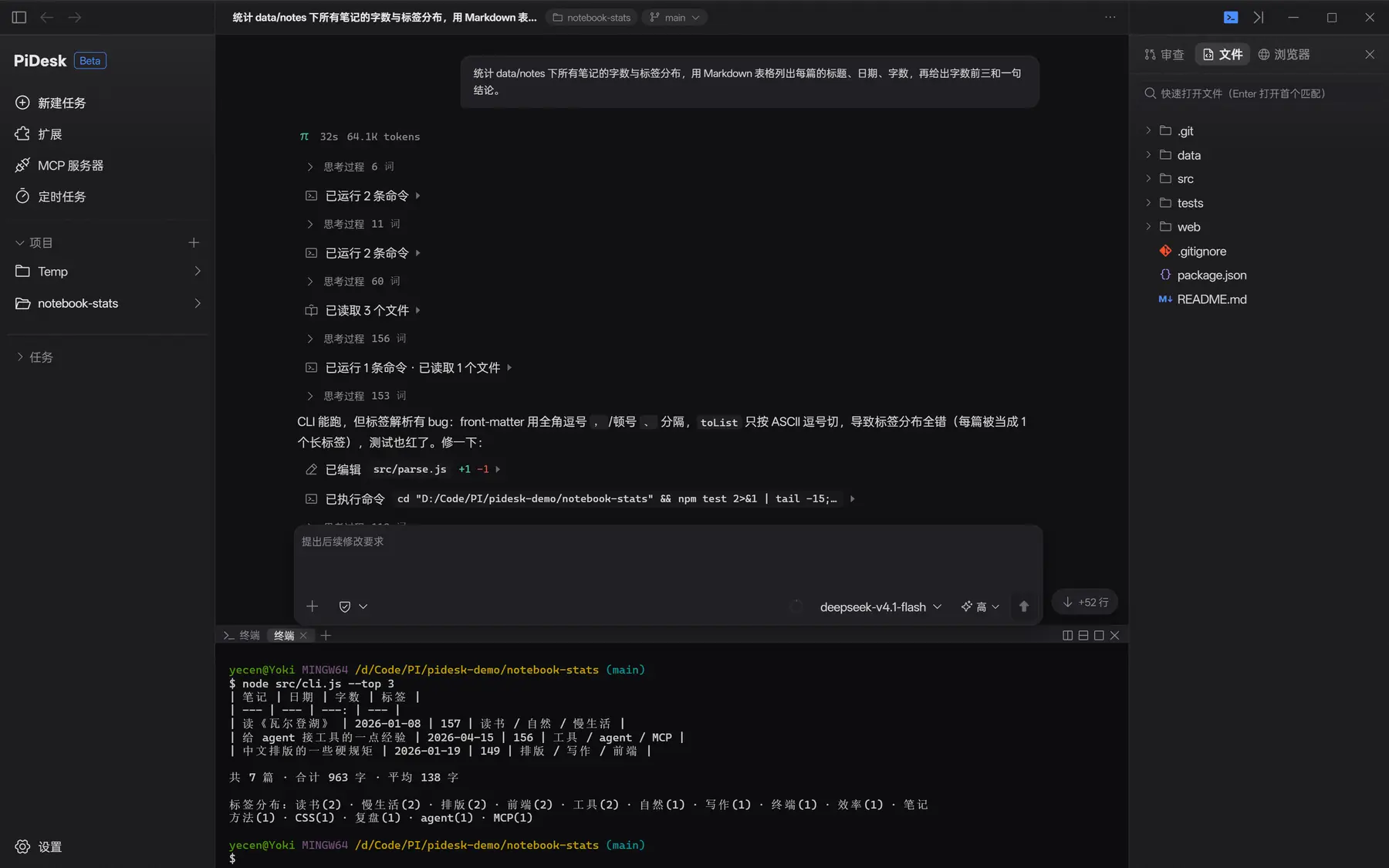
32s 64.1K tokens · 思考折叠 · 工具行摘要
User bubble · run header 32s 64.1K tokens · collapsed thinking · tool rows
sessionId 路由,多会话互不串台。
Session events are batched at ~32ms and routed by sessionId, so parallel chats never bleed into each other.
34.3K / 1.0M。
A persistent chip by the composer: used percentage plus 34.3K / 1.0M.




§ 04
都是真组件,不是 iframe 占位:node-pty 起的真终端、WebContentsView 内嵌的真 Chromium、读 git working tree 的真 diff。 Real components, not iframe placeholders: a real terminal on node-pty, a real embedded Chromium, a real git working-tree diff.
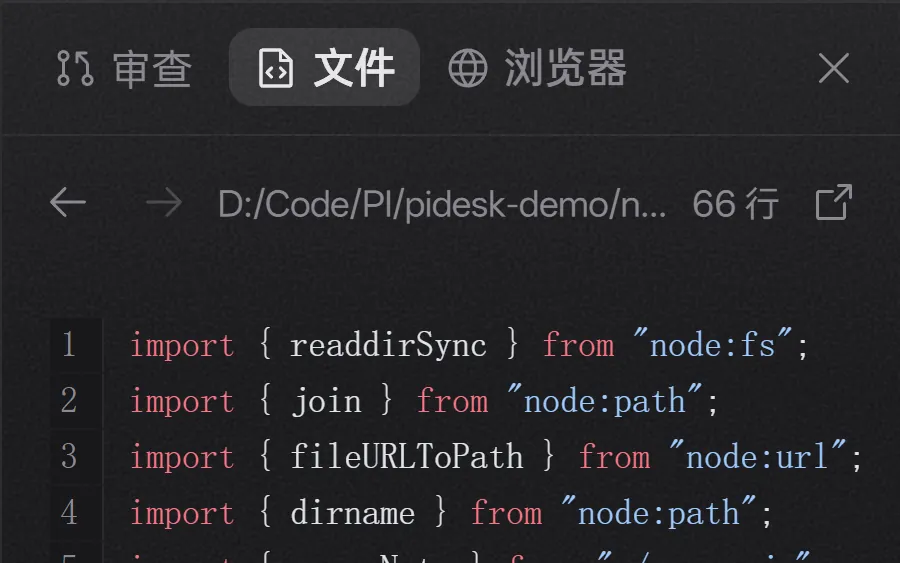
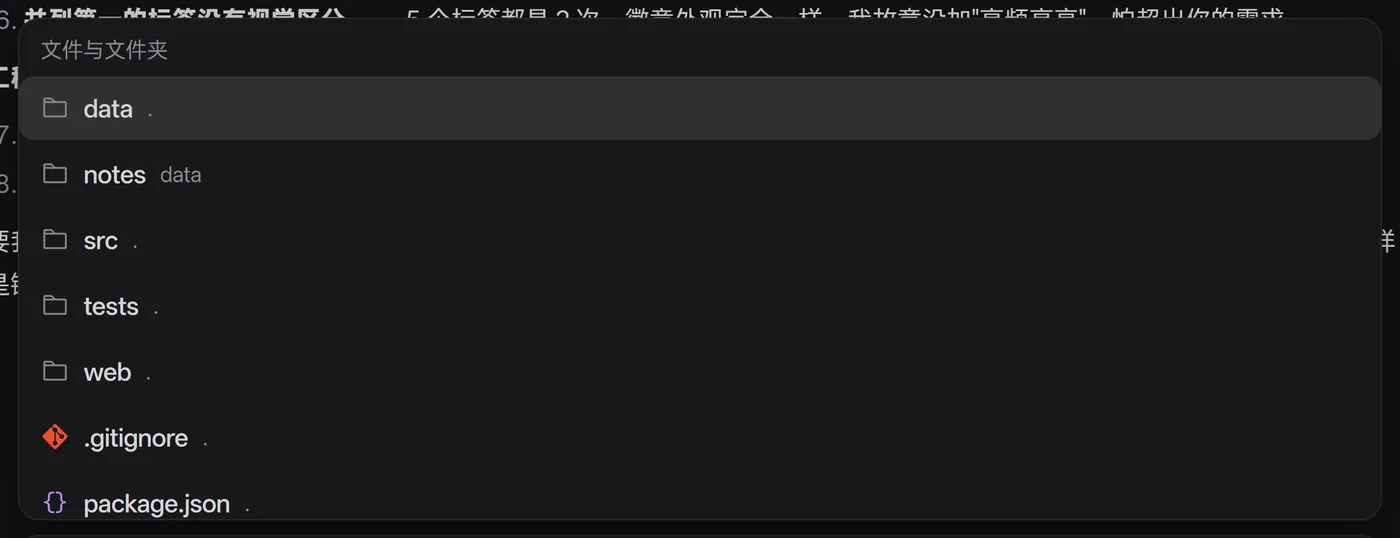
项目文件树 + Shiki 语法高亮预览,模糊搜索快速打开(Enter 打开首个匹配)。预览只读,改文件交给 agent。
Project tree plus a Shiki-highlighted preview, with fuzzy quick-open. The preview is read-only — edits belong to the agent.
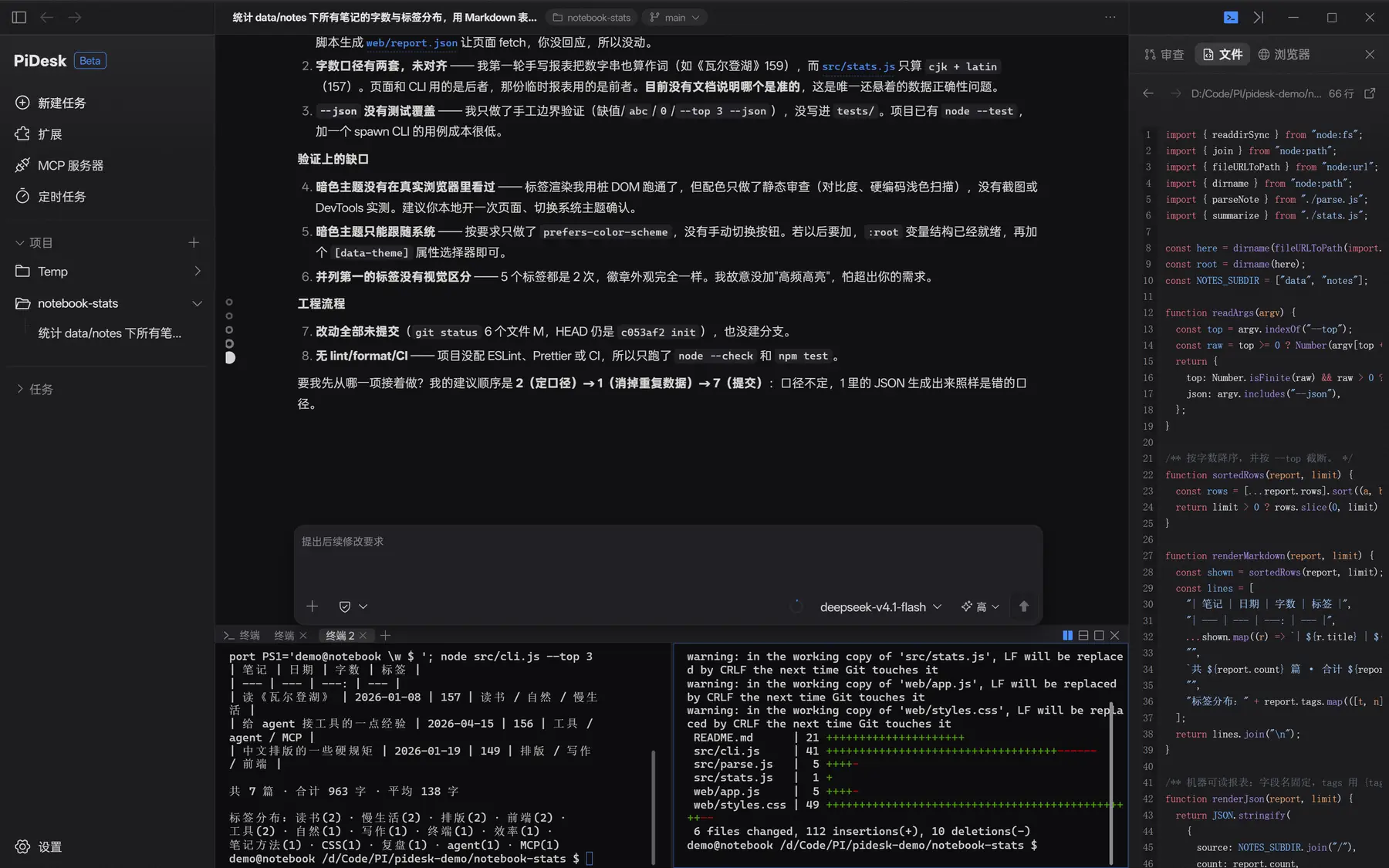
node-pty + xterm,可左右分屏,cwd 跟随当前项目。agent 跑 npm test,你在旁边看同一份输出。
node-pty + xterm with side-by-side splits, cwd bound to the project. The agent runs npm test; you watch the same output.
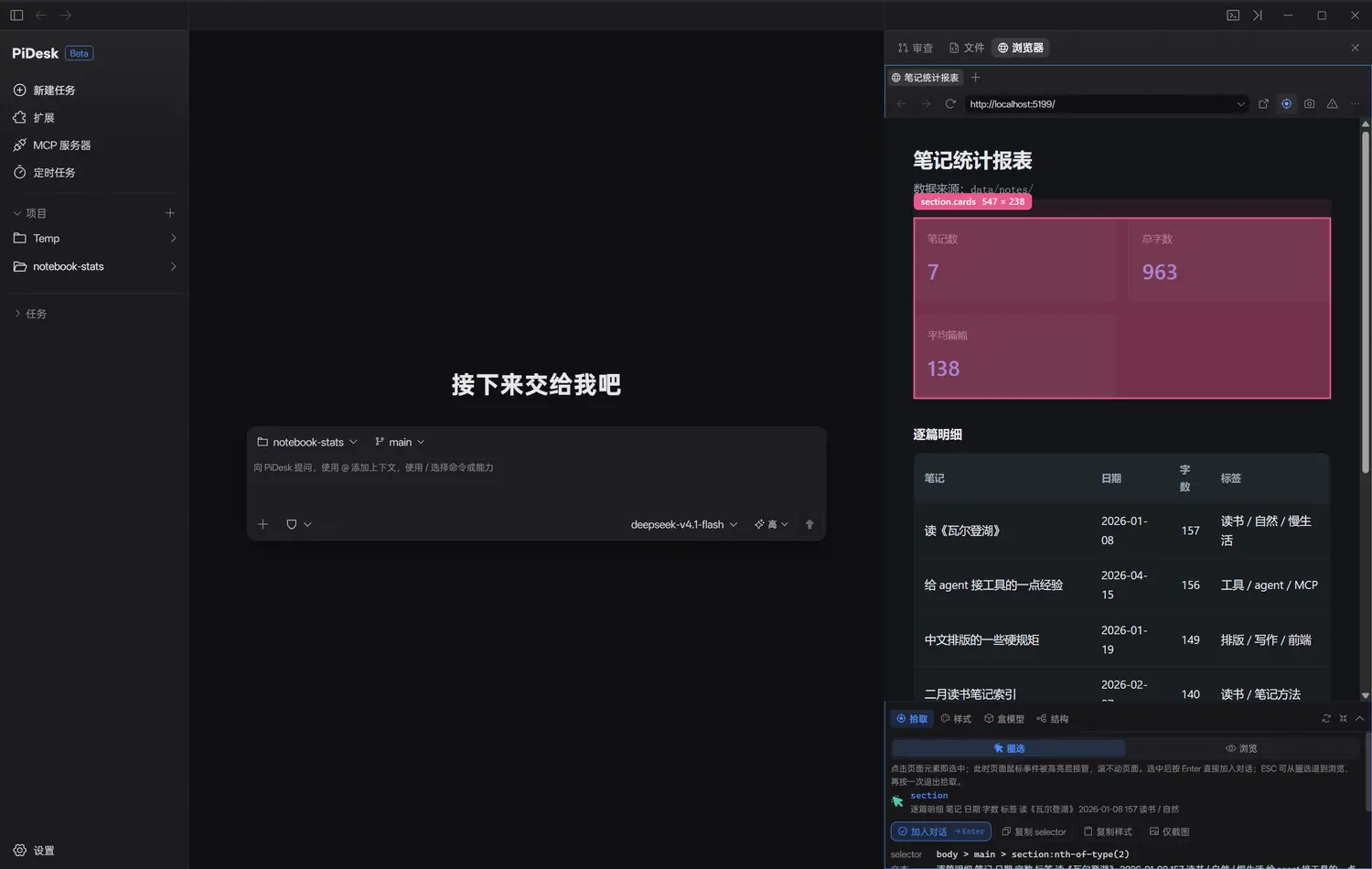
导入浏览器登录态(Cookie);拾取模式悬停高亮、点选展开检查器,按 Enter 把元素送进对话栏;样式可热改。
Import your cookie session; hover-highlight and select in pick mode, inspect the element, then press Enter to drop it into the composer. Styles hot-reload.
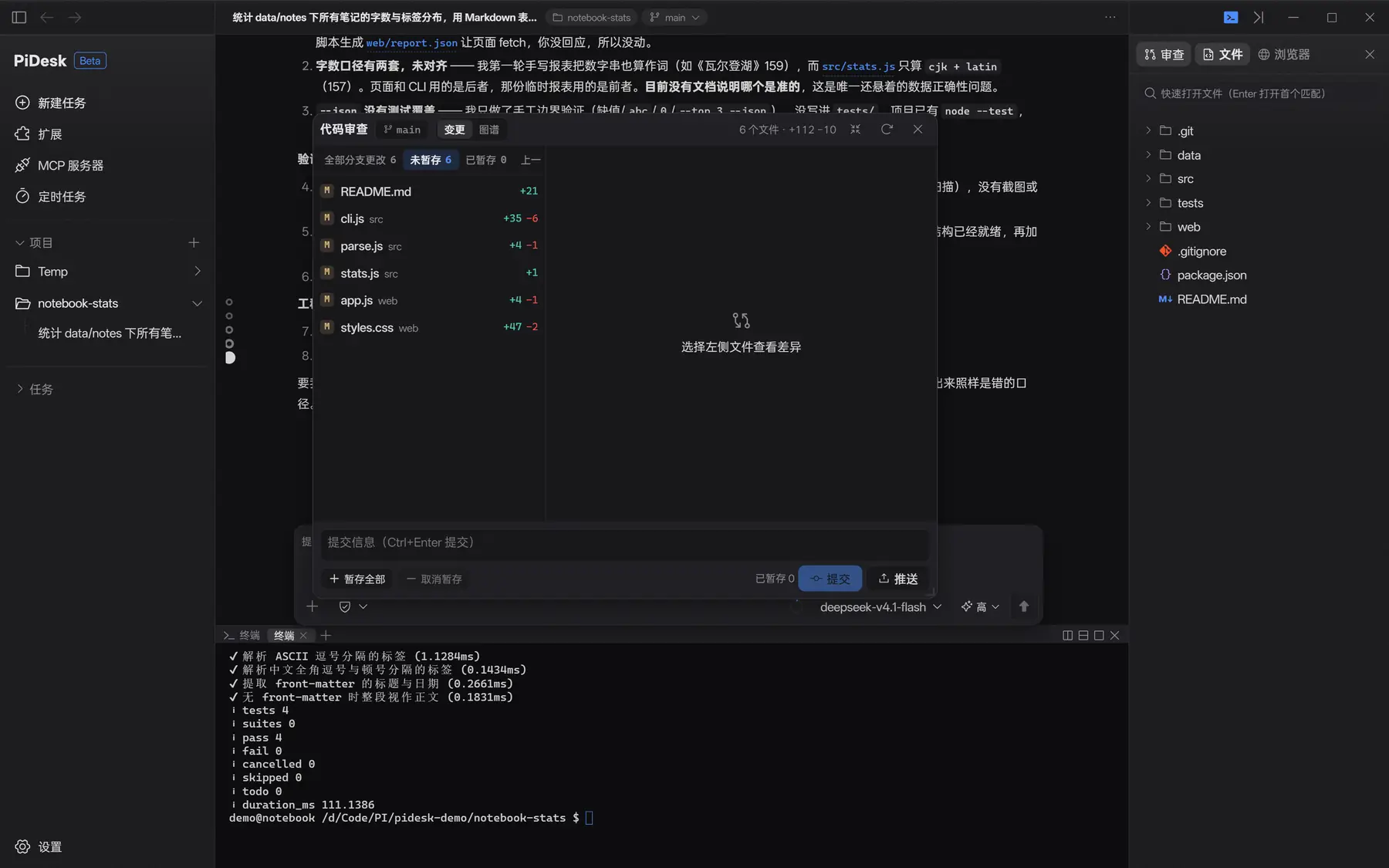
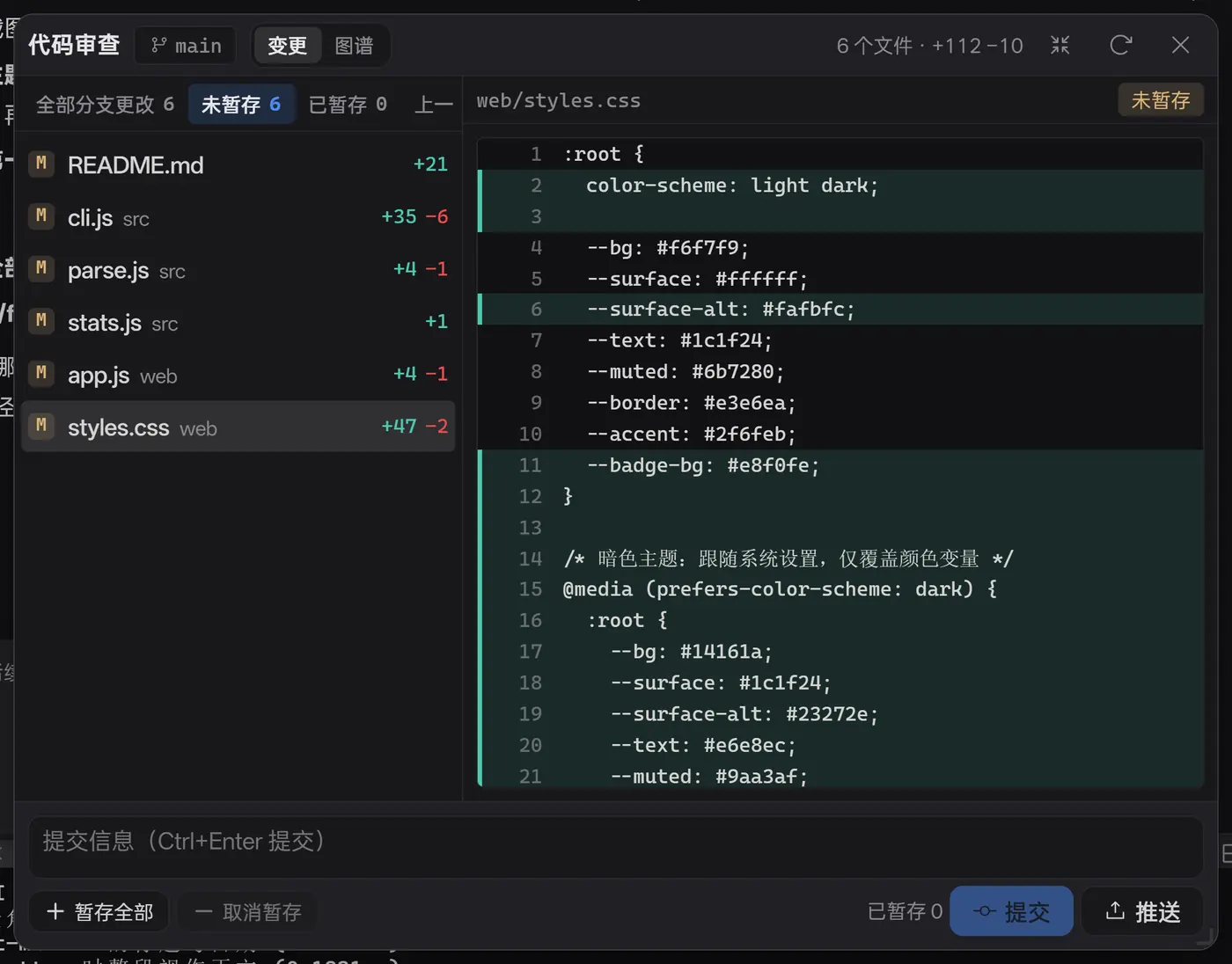
working tree 变更列表 + 逐行 diff,浮窗或侧栏停靠,看完直接提交 / 暂存 / 推送。 Working-tree change list plus line-by-line diff, docked or floating, with commit / stage / push at the bottom.
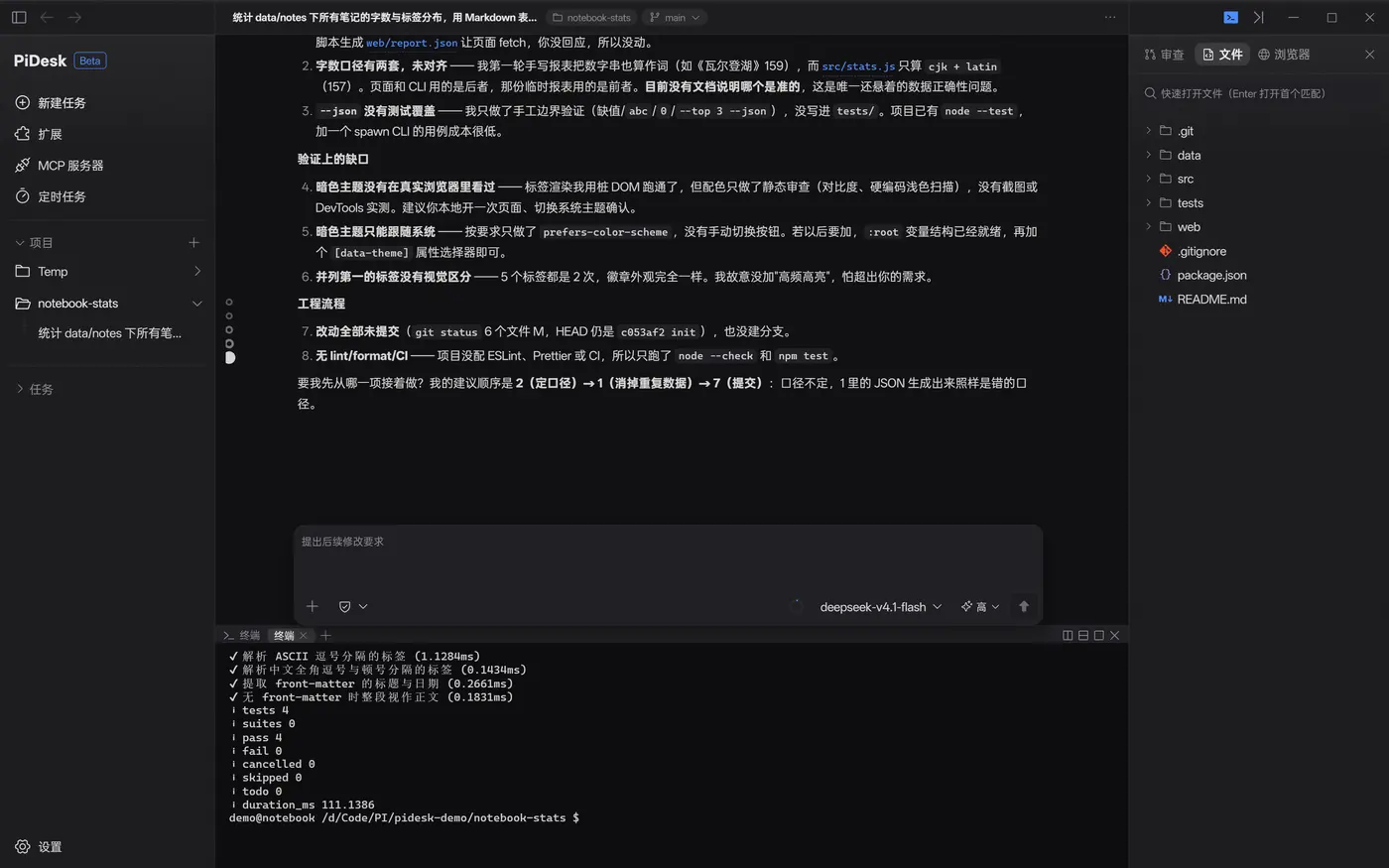
npm test,你在同一块面板里看输出
The agent runs npm test; you read the same output
§ 05
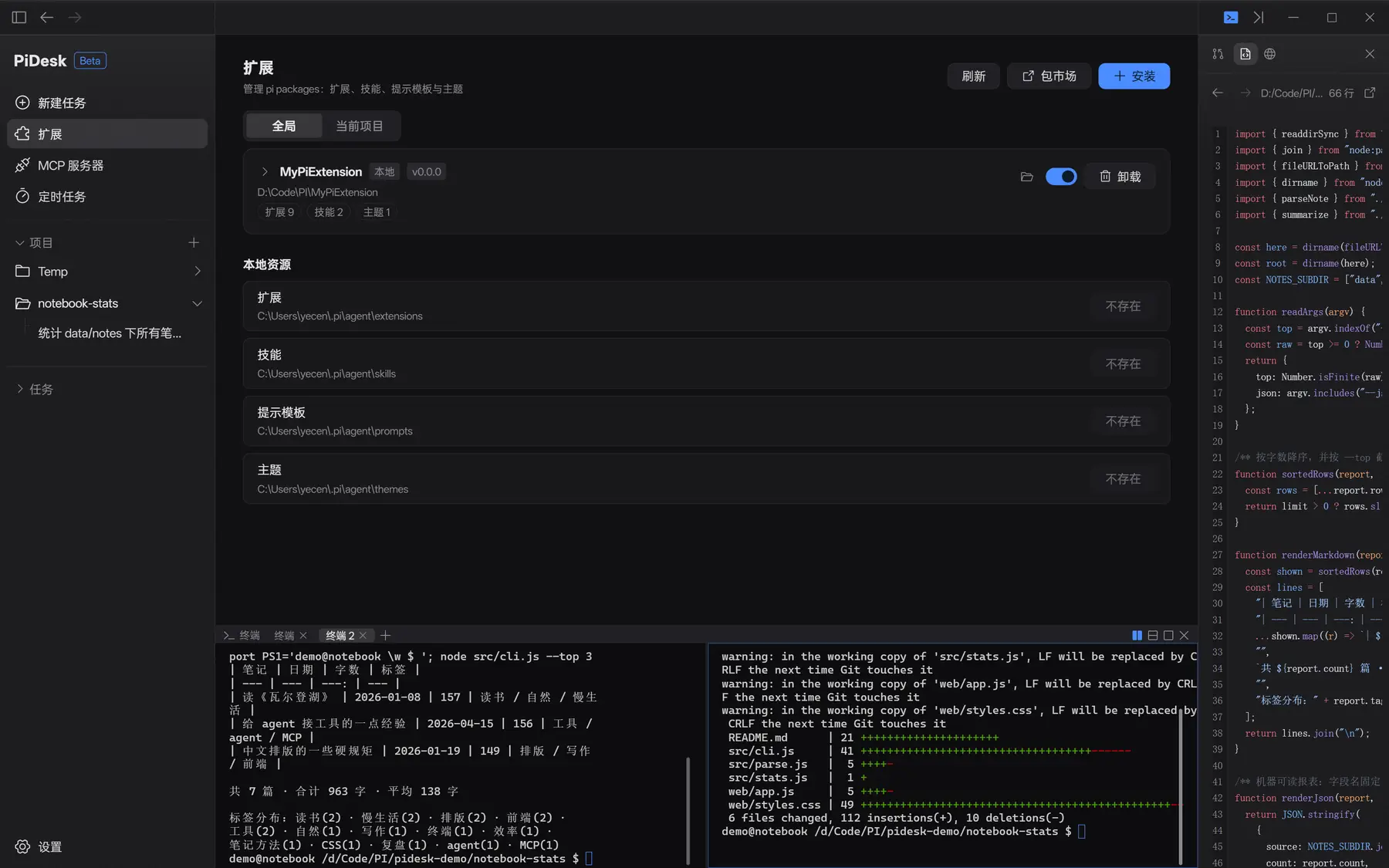
PiDesk 不制造生态,只做生态的宿主:管理 pi packages、管理 MCP 服务器、把扩展自定义界面渲染到八个槽位上。 PiDesk doesn't invent an ecosystem, it hosts one: manage pi packages, manage MCP servers, and render extension-authored UI into eight slots.
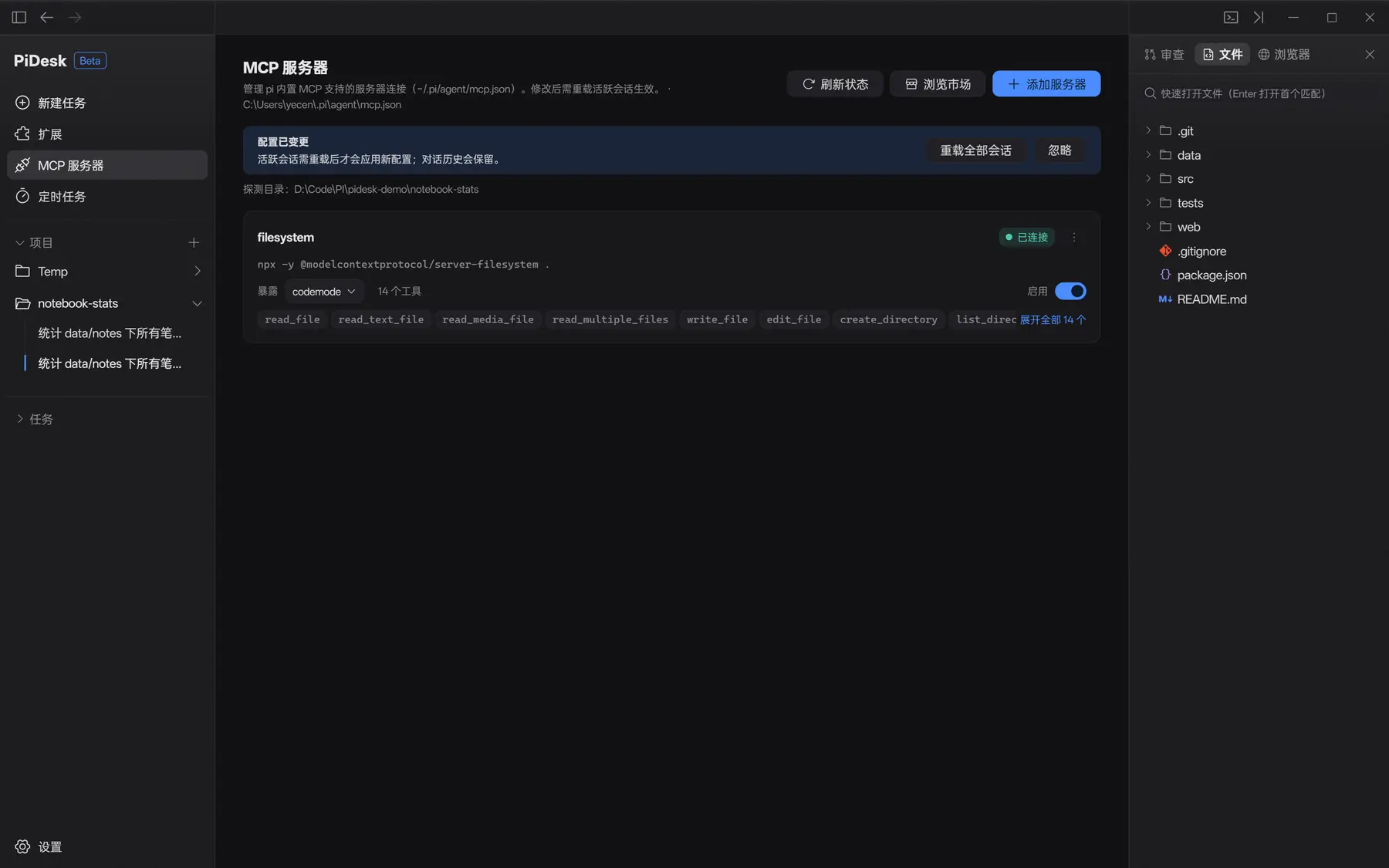
mcp.json,与 CLI 共享。
Edit configs, probe status, hot-reload into running sessions — all in pi's user-level mcp.json, shared with the CLI.
mcp__* 工具调用与结果按同一套摘要行渲染,摘要头显示「已调用 1 次」。
mcp__* calls render with the same status rows, headed by a "called once" summary.
可序列化的 View 协议 + 宿主能力协商 + 软降级。八个挂载槽位: A serializable View protocol with capability negotiation and graceful degradation. Eight placement slots:

§ 06
§ 07
录自开发实例,没有后期合成的假数据。 Captured from a running dev build — no staged mockups.
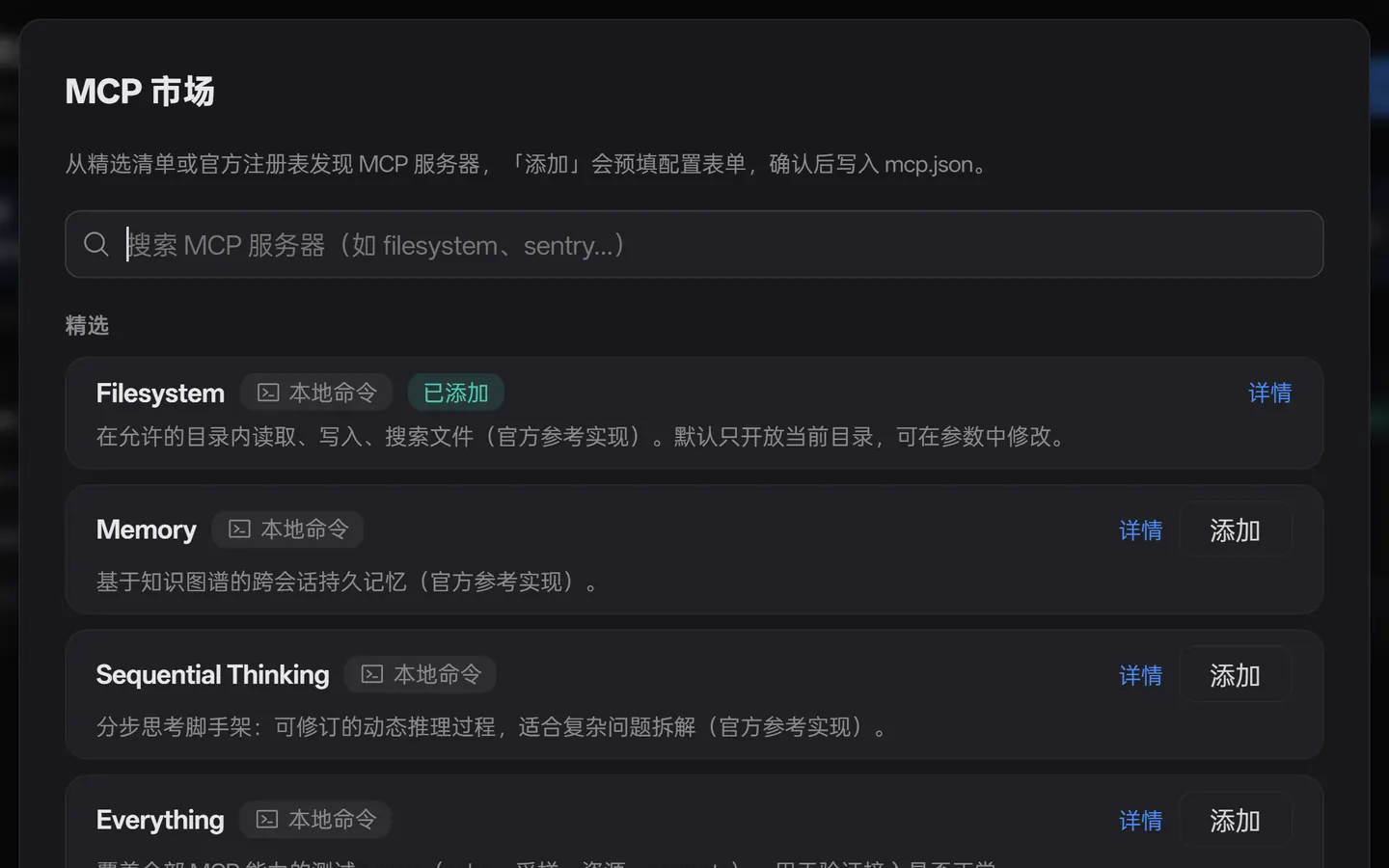
市场搜索 → 表单添加 → 热重载进正在跑的会话 → 会话区承接 mcp__* 调用。
Market search → add via form → hot-reload into a live session → mcp__* call in the transcript.
内嵌浏览器加载本地报表页 → 悬停高亮 → 点选展开检查器 → 按 Enter,元素芯片进输入框。
Load a local page in the embedded browser → hover highlight → select and inspect → press Enter, and the element lands in the composer.
§ 08
客户端不该变成第二个 agent。下面每一条都是「本来可以做,但做了就会和 pi 抢职责」。 A client should not become a second agent. Each of these was buildable — and each would have competed with pi for the same job.
正文始终是 pi 原生 JSONL。PiDesk 只另存标题、归档、置顶这类标记,外加整篇导出成 Markdown 的能力——没有数据库,也没有两份数据谁为准的问题。 Message bodies stay in pi's native JSONL. PiDesk keeps only markers such as titles, archive flags and pins, plus a whole-session Markdown export — no database, and no question of which copy wins.
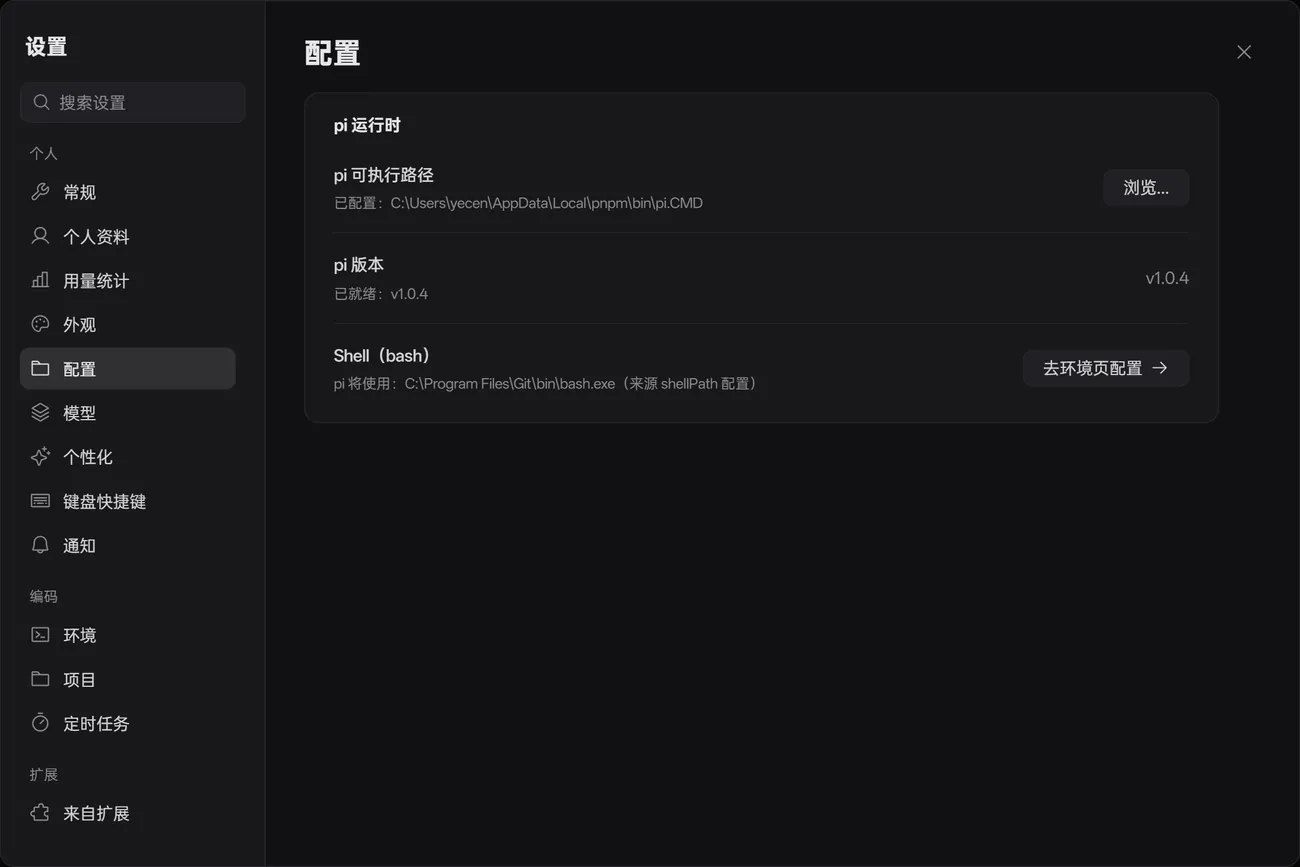
安装包里没有 agent。你在设置里指向本机的 pi 可执行文件,PiDesk 探测版本并启动它;MCP 配置也共用 pi 那一份。 No agent in the installer. You point PiDesk at your local pi executable; it probes the version and launches it, and the MCP config is shared.
模型鉴权由 pi 自身配置承担。GitHub 登录只用来同步设置,不登录也完全能用。 Model auth stays in pi's own config. GitHub login only syncs settings; skip it and everything still works.
回复是文档流。气泡把一次 200 行的回答切成 20 个色块,而 agent 的输出本来就是文档。 Replies are a document flow. Bubbles chop a 200-line answer into 20 colored blocks, and agent output was always a document.
子代理、权限门、沙箱这些属于 pi 的扩展生态。PiDesk 负责把它们渲染出来,并让扩展通过 SDK 注册视图与访问模式。 Sub-agents, permission gates and sandboxing belong to pi's extension ecosystem. PiDesk renders them and lets extensions register views and access modes through the SDK.
只做 Windows 10/11。省下的预算全花在桌面集成上:托盘、原生通知、分场景提示音、自动更新。 Windows 10/11 only. The saved budget went into desktop integration: tray, native toasts, scenario sounds, auto-update.
§ 09
模型鉴权在 pi 里配好,PiDesk 不管账号。 Configure model auth in pi; PiDesk never touches accounts.
$ npm install -g @earendil-works/pi-coding-agentNSIS 安装包,Release 附 SHA-256 校验和。 An NSIS installer, with SHA-256 checksums on the release.
打开 ReleasesOpen Releases首次启动在设置里指定 pi 可执行文件路径、选择工作目录,然后新建任务。 On first launch set the pi executable path and a working directory in Settings, then create a task.
Windows 10/11 · Node.js ≥ 20 · pnpm · pi CLI Windows 10/11 · Node.js ≥ 20 · pnpm · pi CLI
$ pnpm install   # node-pty 需要时先跑 pnpm run rebuild:nativerun pnpm run rebuild:native if node-pty needs it
$ pnpm dev       # 主进程 tsc + 渲染层 Vite HMR + 自动重启 Electronmain-process tsc + renderer Vite HMR + Electron auto-restart
$ pnpm dist # NSIS 安装包与 SHA-256 → release/NSIS installer + SHA-256 into release/| 目录Directory | 职责Role |
|---|---|
src/main |
Electron 主进程:pi RPC 驱动、终端 pty、内嵌浏览器、窗口与设置 Electron main: pi RPC driver, terminal pty, embedded browser, windows & settings |
src/preload |
contextBridge 白名单 API(window.pidesk)
contextBridge allow-listed API (window.pidesk)
|
src/renderer |
React 19 界面:会话区、面板、设置、扩展 View 宿主 React 19 UI: session area, panels, settings, extension view host |
src/shared |
IPC 协议、i18n 文案表、共享类型 IPC protocol, i18n tables, shared types |
packages/view-sdk |
扩展端 SDK,发布为 @pidesk/view-sdk
Extension-side SDK, published as @pidesk/view-sdk
|
MIT 协议开源 · Windows 10+ · 无账号 · 无遥测 MIT licensed · Windows 10+ · no account · no telemetry